UDP Notifications
⚠️
This API is kept for existing apps. New apps should use SendNotification over the WebSocket API.
Send a notification object as UTF-8 JSON in a UDP datagram to 127.0.0.1:42069.
The port is set by UdpPort in [XSOverlay install]/XSOverlay_Data/StreamingAssets/Plugins/Config/ExternalMessageAPIConfig.json.
Notification object
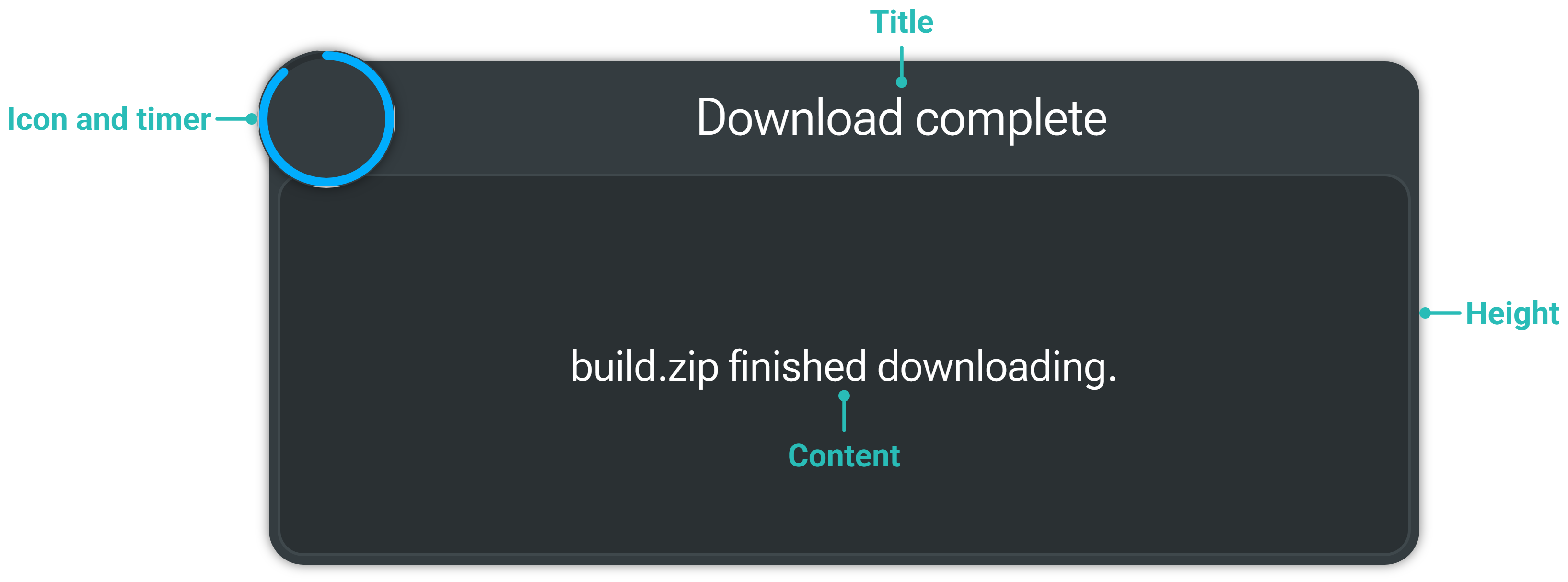
The fields are the same as the WebSocket notification object, except the type field is called messageType and must be 1.
| Field | Type | Default | Description |
|---|---|---|---|
messageType | int | 0 | Must be 1, or the message is ignored. |
title | string | "" | Supports Unity rich text (opens in a new tab). |
content | string | "" | Supports rich text. When empty, the notification is shown in its small form. |
timeout | float | 0.5 | Seconds on screen. |
height | float | 175 | Height when the notification has content. |
opacity | float | 1 | 0 is treated as 1. |
volume | float | 0.7 | Sound volume. |
audioPath | string | "" | Path to an .ogg file, or "default", "error" or "warning". Silent when empty. |
icon | string | "default" | Image path, base64 image, or "default", "error" or "warning". |
useBase64Icon | bool | false | Set to true when icon is base64. |
sourceApp | string | "" | Your app's name, shown in logs. |
Examples
XSNotifications (opens in a new tab) (GitHub (opens in a new tab)) is a NuGet package that wraps this API.
Program.cs
using XSNotifications;

new XSNotifier().SendNotification(new XSNotification { Title = "Notification" });