Controls
These are the default bindings. Change them in SteamVR's bindings menu, or from the Bindings tab in XSOverlay's settings.
Index
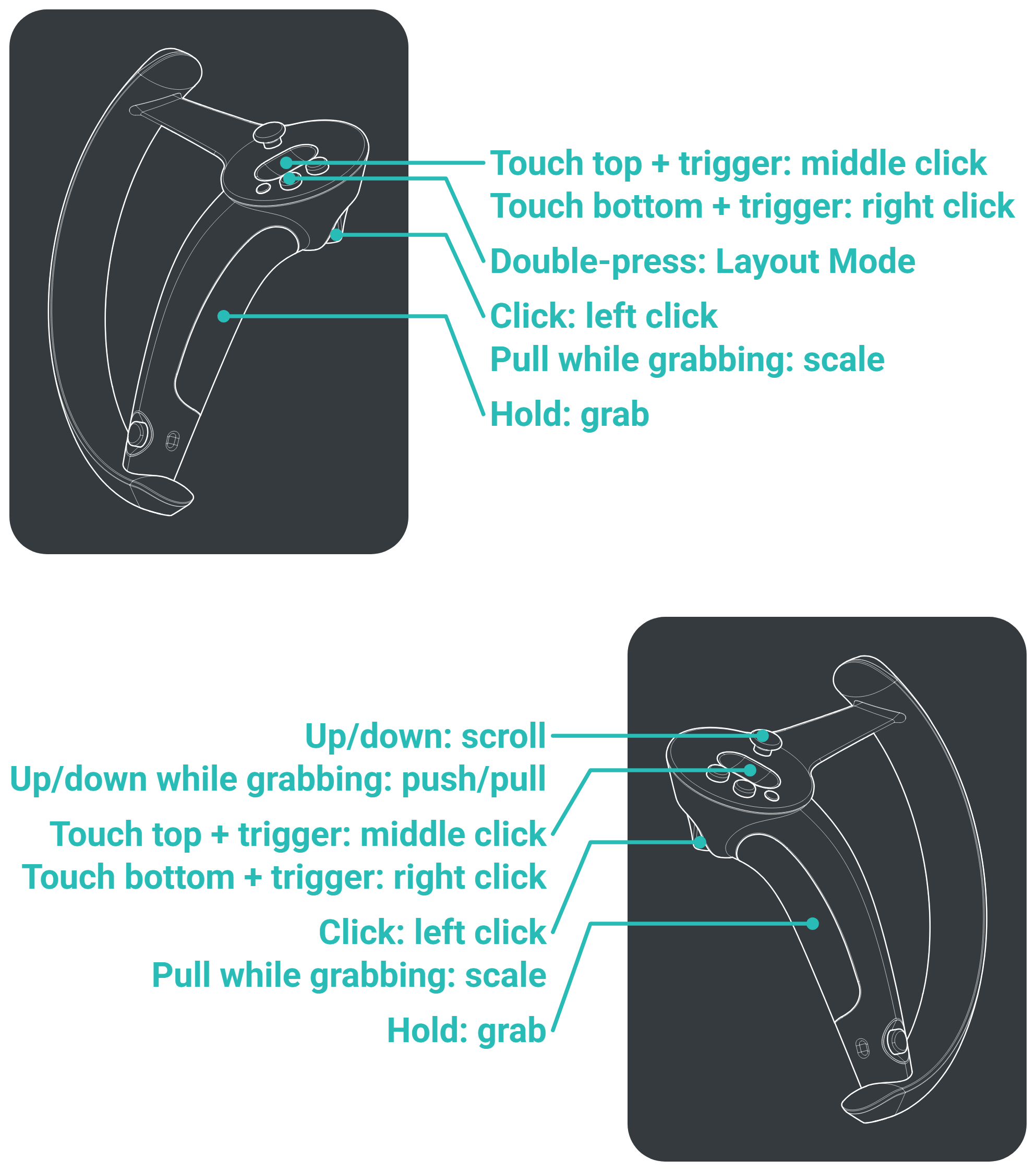
| Action | Input |
|---|---|
| Open Layout Mode | Double-press left A |
| Grab an overlay | Point at it and squeeze the grip |
| Scale an overlay | While holding it, pull the trigger and move your hand forward to enlarge or back to shrink |
| Push or pull an overlay | While holding it, right thumbstick up or down |
| Scroll | Point at an overlay, right thumbstick up or down |
| Left click | Trigger |
| Middle click | Touch the top of the trackpad, then pull the trigger |
| Right click | Touch the bottom of the trackpad, then pull the trigger |
Vive
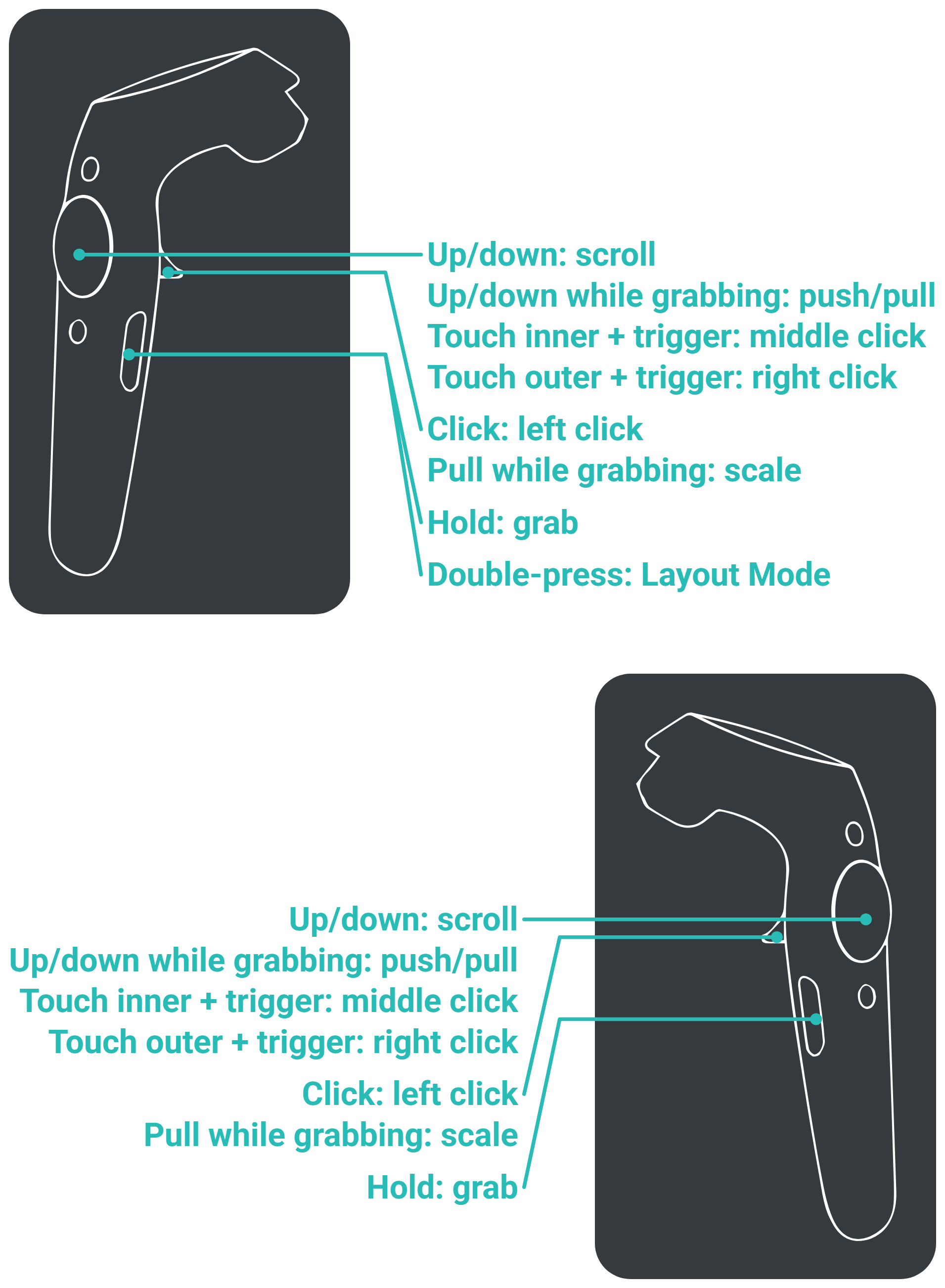
| Action | Input |
|---|---|
| Open Layout Mode | Double-press the left grip |
| Grab an overlay | Point at it and squeeze the grip |
| Scale an overlay | While holding it, pull the trigger and move your hand forward to enlarge or back to shrink |
| Push or pull an overlay | While holding it, trackpad up or down |
| Scroll | Point at an overlay, trackpad up or down |
| Left click | Trigger |
| Middle click | Touch the inner half of the trackpad, then pull the trigger |
| Right click | Touch the outer half of the trackpad, then pull the trigger |
Windows Mixed Reality
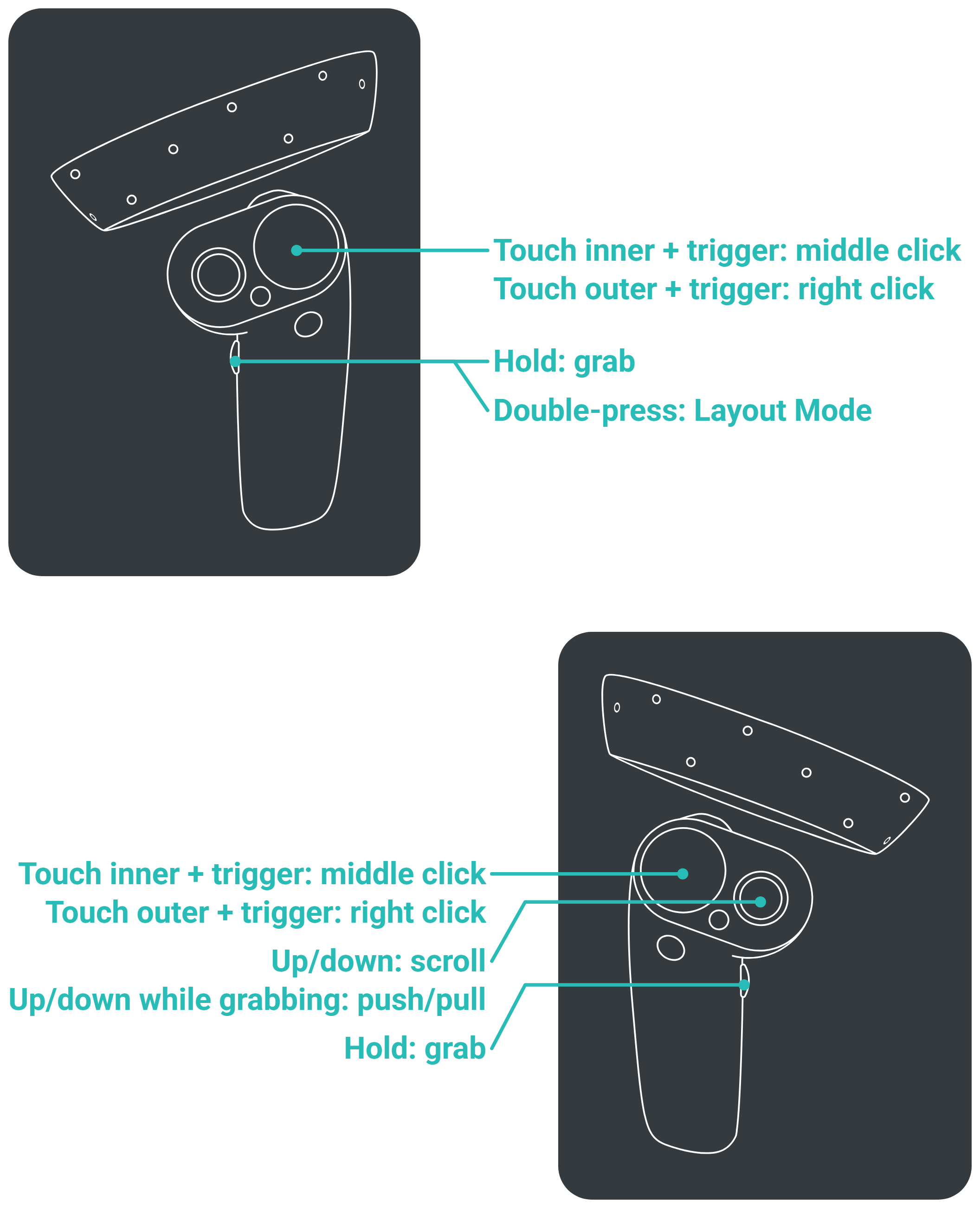
| Action | Input |
|---|---|
| Open Layout Mode | Double-press the left grip |
| Grab an overlay | Point at it and squeeze the grip |
| Scale an overlay | While holding it, pull the trigger and move your hand forward to enlarge or back to shrink |
| Push or pull an overlay | While holding it, right joystick up or down |
| Scroll | Point at an overlay, right joystick up or down |
| Left click | Trigger |
| Middle click | Touch the inner half of the trackpad, then pull the trigger |
| Right click | Touch the outer half of the trackpad, then pull the trigger |
Oculus / Meta
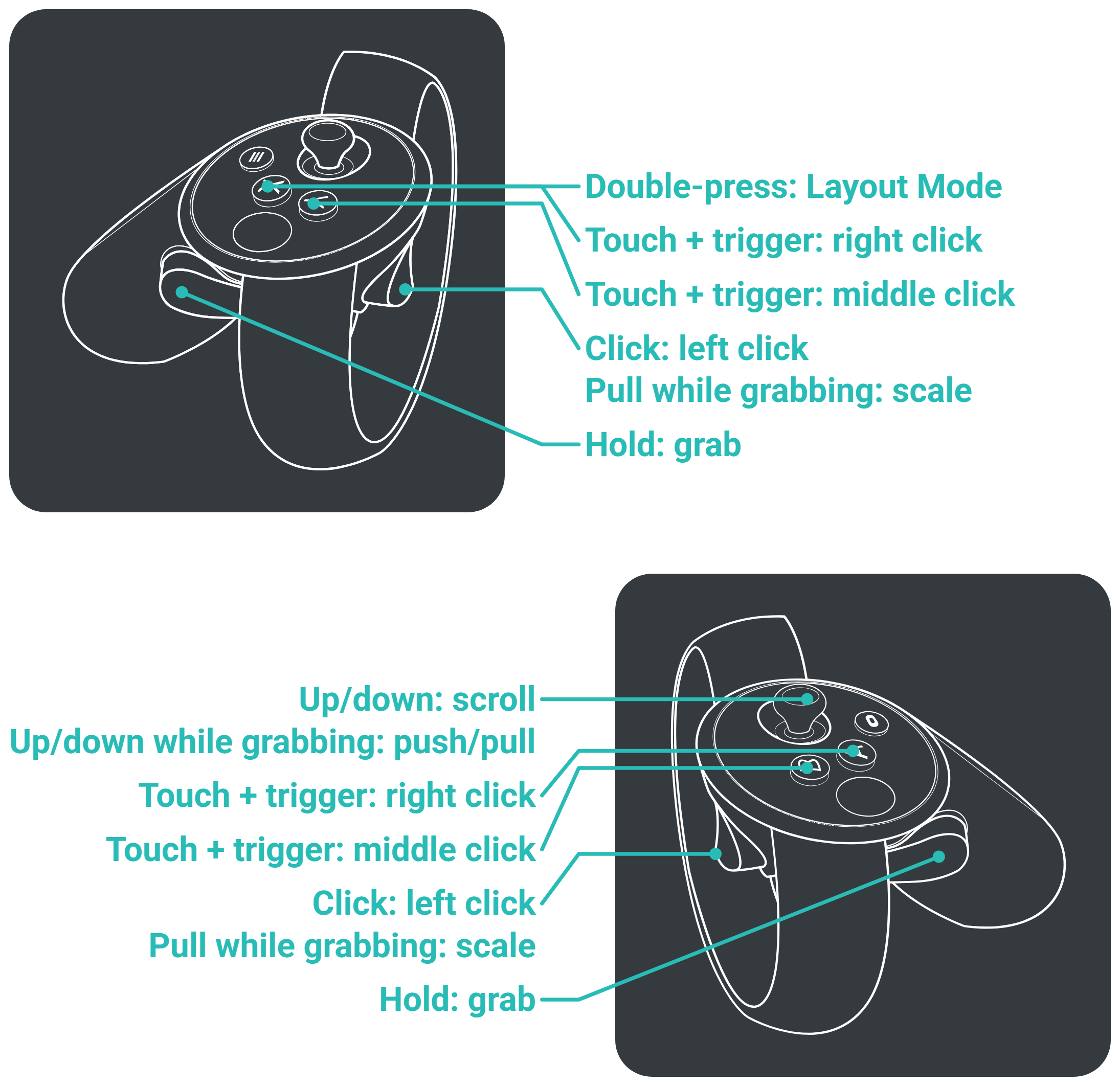
| Action | Input |
|---|---|
| Open Layout Mode | Double-press X |
| Grab an overlay | Point at it and squeeze the grip |
| Scale an overlay | While holding it, pull the trigger and move your hand forward to enlarge or back to shrink |
| Push or pull an overlay | While holding it, right joystick up or down |
| Scroll | Point at an overlay, right joystick up or down |
| Left click | Trigger |
| Middle click | Rest your thumb on Y or B, then pull the trigger |
| Right click | Rest your thumb on X or A, then pull the trigger |