Layout Mode
Layout Mode is where you create, move, and set up overlays. Open it with the Layout Mode button on the wrist overlay, or with your controller's Layout Mode binding.
While it's open you can grab and scale overlays, change what they capture, and open their settings.
Toolbar
The toolbar appears above the wrist overlay while Layout Mode is open.
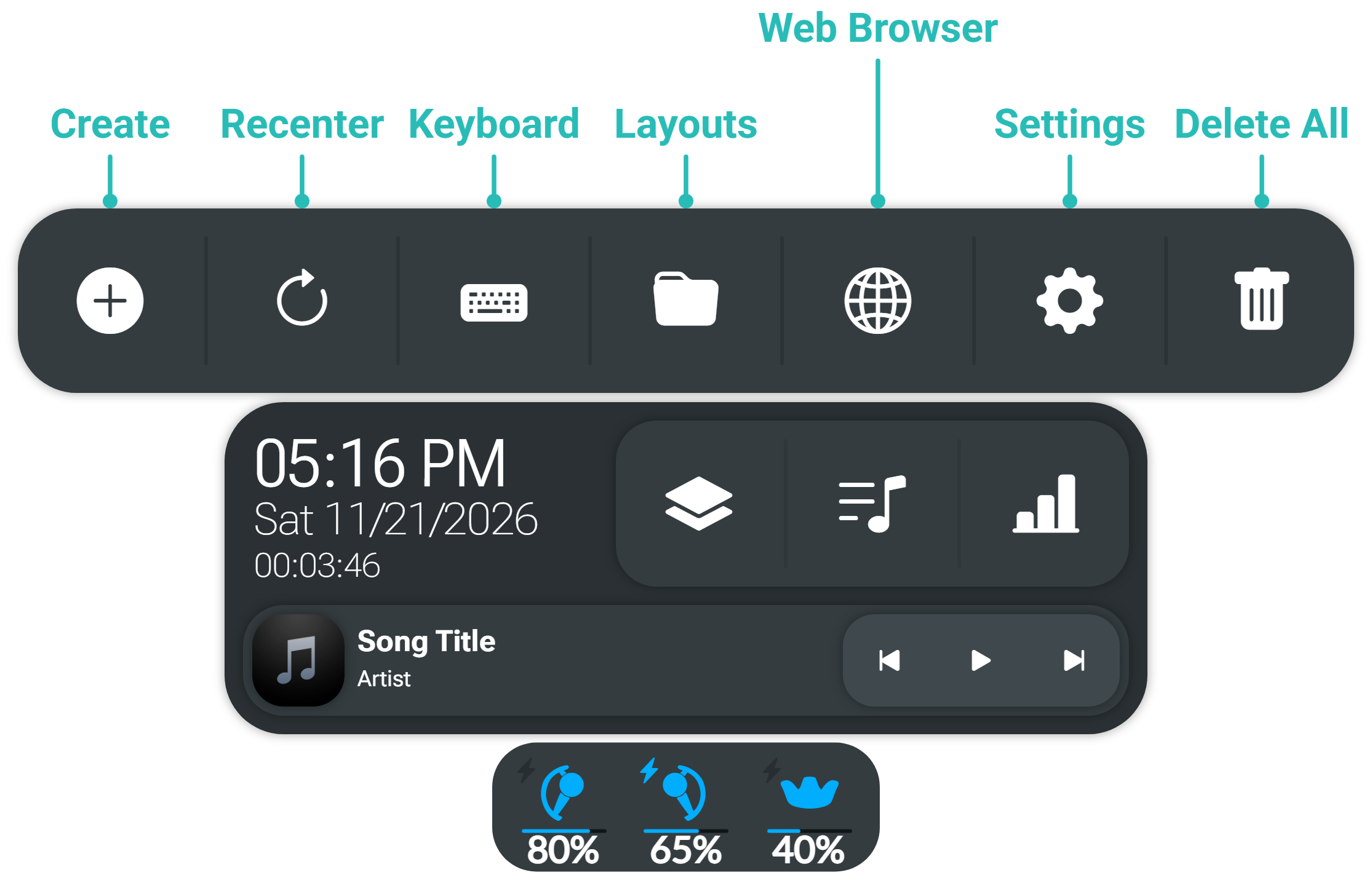
| Button | Action |
|---|---|
| Create | Creates an overlay. |
| Recenter | Moves your overlays back in front of you. |
| Keyboard | Shows or hides the keyboard. |
| Layouts | Saves, loads, and deletes layouts. |
| Web Browser | Creates a web browser overlay. |
| Settings | Opens Settings. |
| Delete All | Removes every overlay. Press twice to confirm. |
| Window Switcher | Arranges overlays in a grid. Hidden by default. |
Choose which buttons appear in Toolbar Buttons.
Overlay toolbar
Each overlay has its own toolbar:
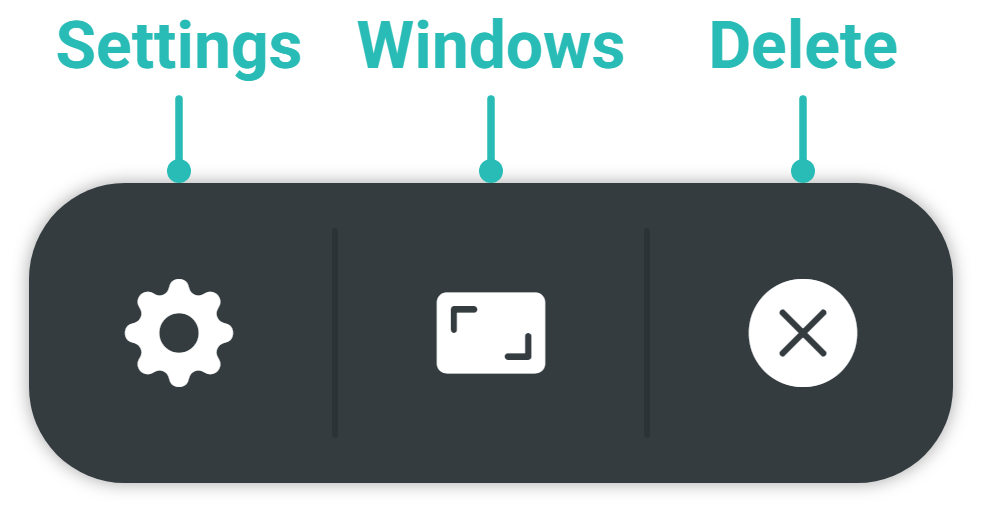
| Button | Action |
|---|---|
| Settings | Opens that overlay's settings. |
| Windows | Chooses the window or monitor the overlay captures. |
| Delete | Removes the overlay. |